Radio automation comes built into CastHost. It isn't a plugin or a paid add-on. Upload your library once, group it into playlists, schedule your week, and your fully automated radio station runs itself. Live DJs are welcome whenever you want them, but they're never required to stay on air.

Everything you need to run a station that never goes quiet
Always-on Auto DJ
Your station plays 24/7 from your own library. When no one's broadcasting live, the Auto DJ fills every minute so listeners never hit dead air.
Smart playlists
Group tracks into playlists and choose how each one plays, sequential or shuffled. Weight them so your heavy rotation gets more spins than the deep cuts.
Visual scheduling calendar
Assign a playlist to a day and time on the calendar: chilled overnight, upbeat in the morning, a specials show on Sunday. Build the week once and it repeats on its own.
Jingle scheduler
Upload your station IDs and sweepers and set how often they fire, every few songs or on the clock. Jingle mode keeps them out of your now-playing.
Live DJ handover
Create DJ accounts and hand the mic over for live shows. The second a live source connects it takes over; when it drops, Auto DJ catches the music.
Nothing to install
It all runs in your browser, on our servers, so there's no automation software to buy and no computer left switched on to keep you on air.
The whole station, from one screen
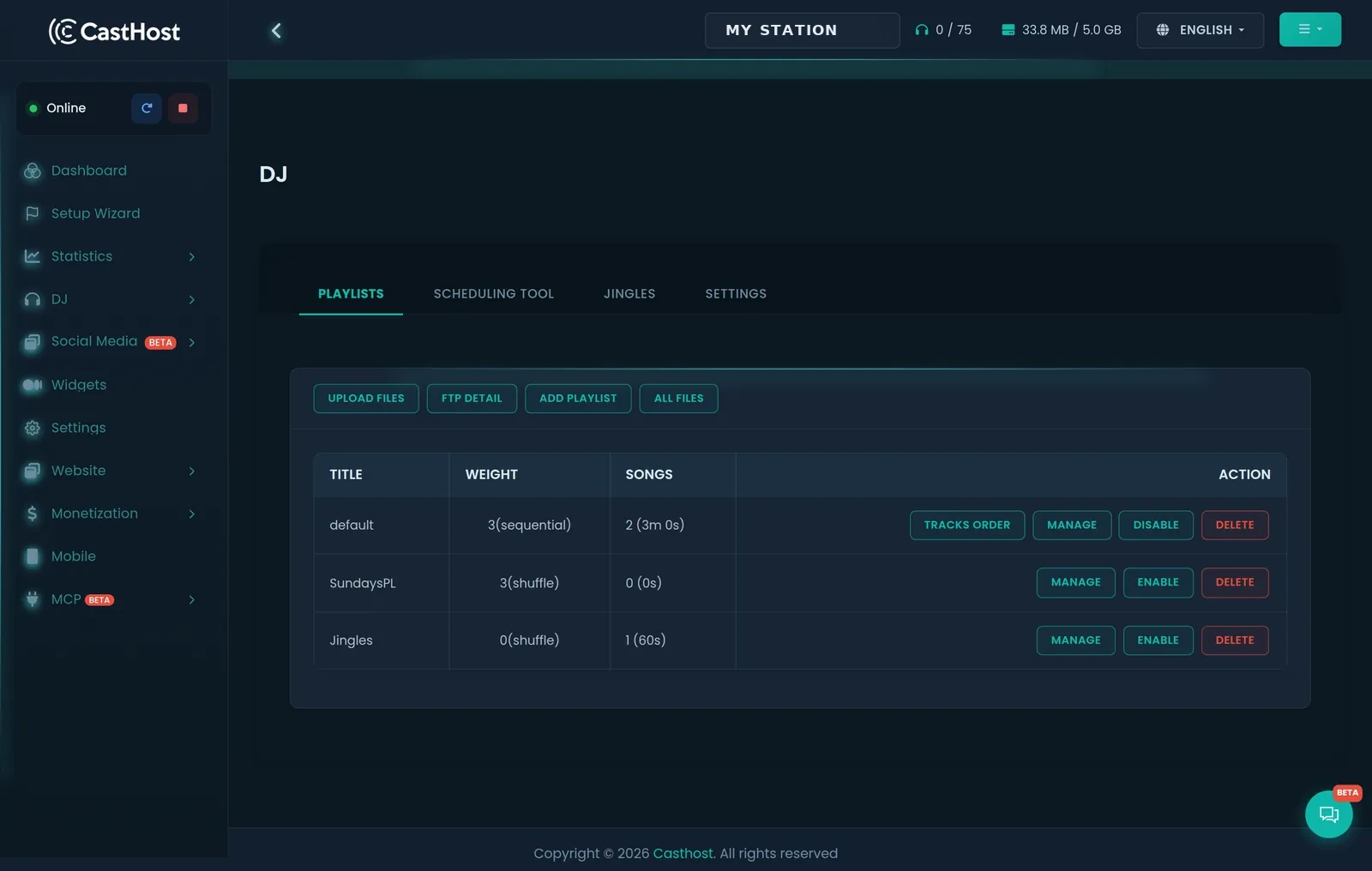
Build & weight your playlists

Sort your library into playlists and decide exactly how each one behaves: sequential, shuffled, or weighted so your hits play more often than the deep cuts.

  • Sequential, shuffle and weighted playback
  • Upload tracks and assign them in seconds
  • Separate jingle and sweeper playlists
CastHost Auto DJ playlist manager showing playlists with sequential, shuffle and weighted playback and song counts
The CastHost playlist manager (demo data shown)
Programme your week in a calendar

Build a schedule a real station would be proud of. Visual radio scheduling lets you assign any playlist to a slot, repeat it weekly, and let the clock run your programming for you.

  • Day-and-time slots on a month or list view
  • Different playlists for drive time, overnight and weekends
  • Schedules that repeat automatically, week after week
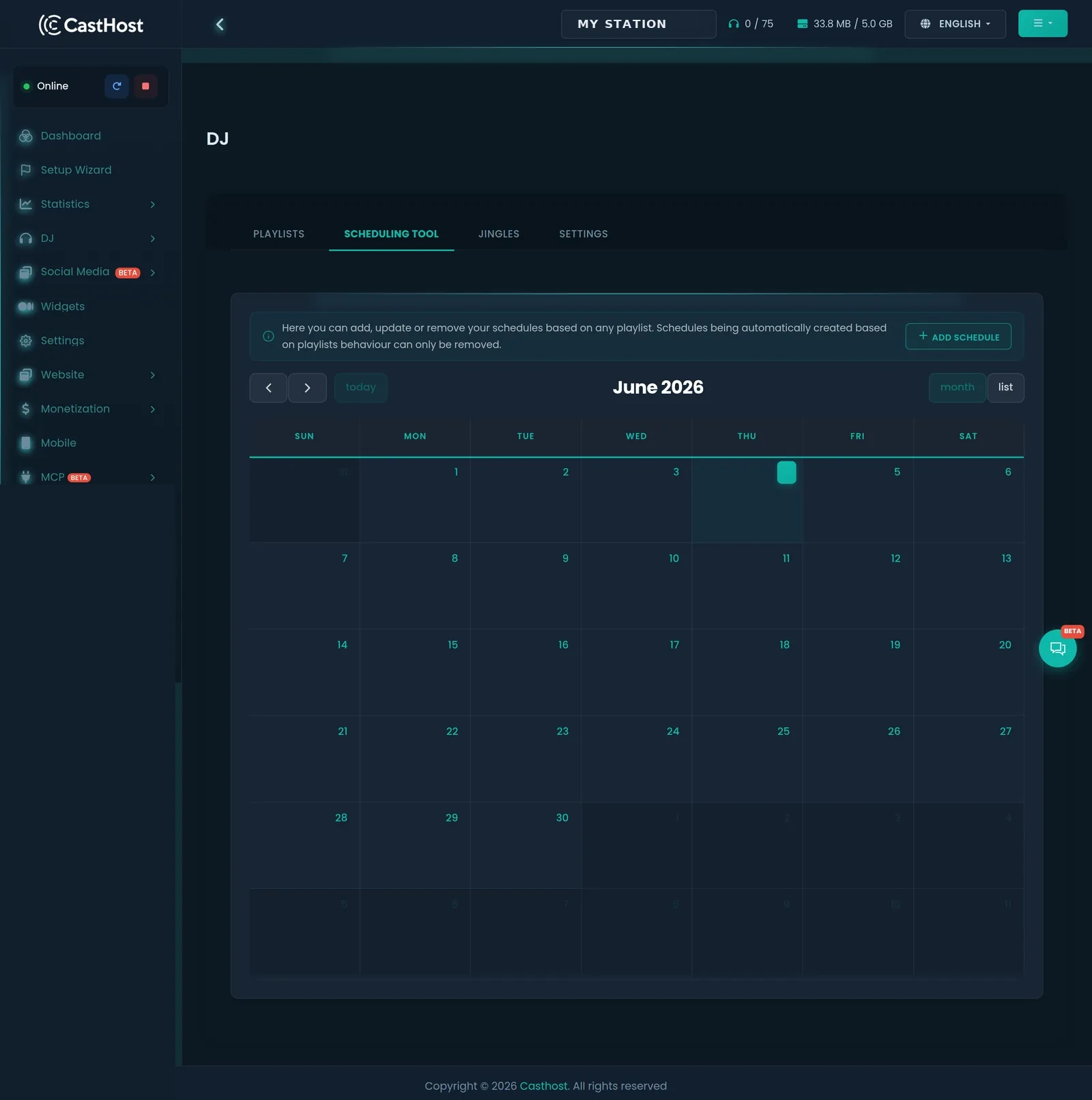
CastHost radio scheduling calendar assigning playlists to specific days and times
The scheduling calendar (demo data shown)
Station IDs that drop in on their own

Keep your station sounding like a station. Upload your sweepers and IDs, choose the rotation, and they slot in between songs automatically.

  • Play once every few songs, or on a set clock
  • Start and end times so they only run when you want
  • Jingle mode hides them from your now-playing metadata
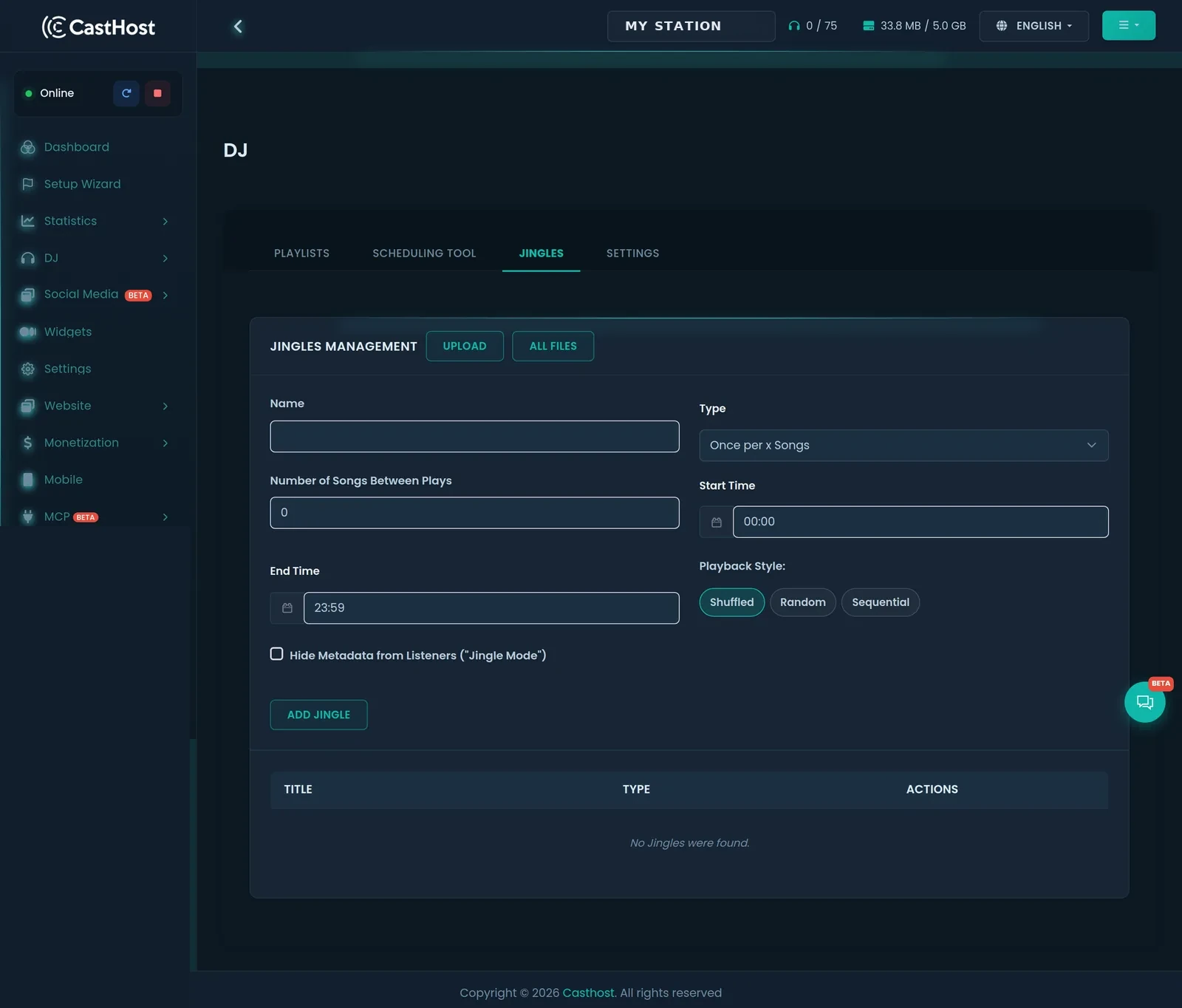
CastHost jingle management screen with rotation, start and end times and playback style
Jingle management (demo data shown)
From empty library to on air, the same day

Upload your music

Drag your tracks into your library: MP3, AAC, M4A, OGG or FLAC. They're ready for playout within seconds, no manual syncing.

Build your playlists

Sort your library into playlists and pick how each one plays. Weight your hits, shuffle the rest, and add your jingles.

Schedule it & walk away

Add your playlists to the calendar, switch the Auto DJ on, and your station runs itself. Live shows are welcome, but never required.

Auto DJ and automation, answered

Auto DJ is the engine that plays your station automatically. You upload your music once, organise it into playlists, and the Auto DJ streams it around the clock, so your station stays on air even when you're asleep, at work, or between live shows.

Yes, that's the whole point. When no live DJ is connected, CastHost falls back to your scheduled playlists automatically, so listeners never hit silence. The moment a live source connects it takes over, and when it disconnects, Auto DJ picks the music back up.

The visual scheduling calendar lets you assign any playlist to a day and time slot: a chilled playlist overnight, your top 40 in drive time, a specials show on Sunday. You can also create DJ accounts so guests can broadcast live in their own slot.

Yes. Upload your jingles, station IDs and sweepers, then set how often they play: once every so many songs, or on a clock. A jingle mode hides them from your now-playing metadata so it stays clean.

MP3, AAC, M4A, OGG and FLAC. Drag them into your library and they're registered for playout within seconds, with no manual syncing.

No. CastHost's automation runs in your browser, on our servers. There's nothing to download, no PC that has to stay switched on, and no separate licence to buy. It's included with your hosting.

Yes. The Auto DJ feeds your Shoutcast or Icecast mount directly, and live DJs can still connect with any standard encoder. You get automation without giving up the streaming setup you already know.
Explore the rest of your dashboard

Switch the Auto DJ on and walk away

Radio automation, scheduling and jingles come with every CastHost plan, with nothing extra to pay. Start a plan, upload your music, and your station can be playing 24/7 by the end of the day.

Start free trial See plans
Get in Touch

Send us a message