
Church audio streaming broadcasts the sound of a live service over the internet so people can listen as it happens.
Updated November 2026.
A Sunday broadcast gives someone recovering at home a way to hear the same sermon as the people in the pews. The sound desk you already use may be enough to get started. CastHost hosts live audio. It does not offer video streaming.
Sending audio from the church mixer
The same microphones you use for the service can feed the stream. If your mixer has a USB audio output, it may be able to send its mix straight into a computer. If it has a spare analogue line output, you can send that to a compatible USB audio interface. The interface brings the mix into the computer as an audio input.
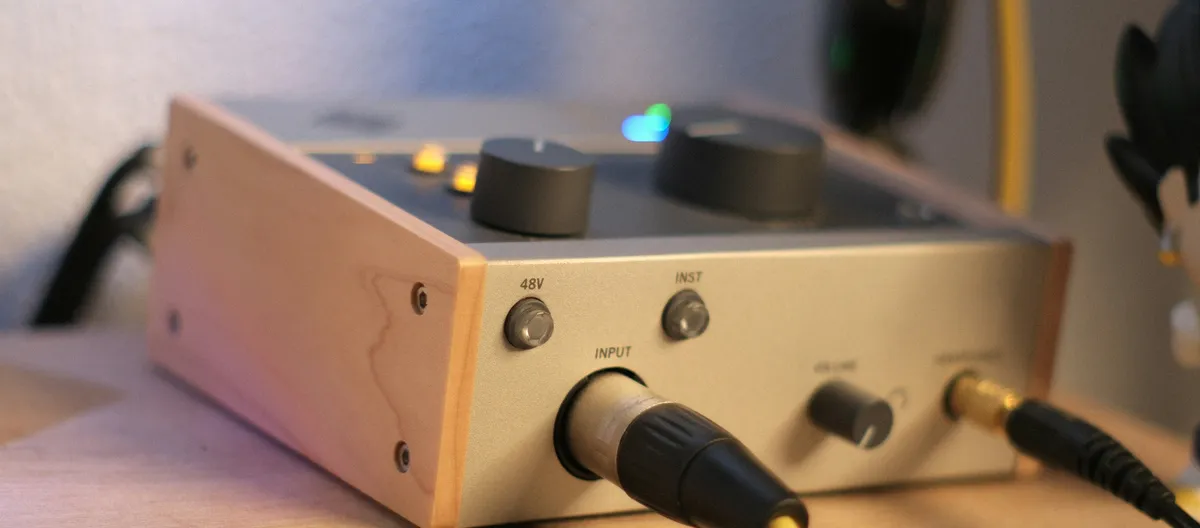
An encoder takes the audio input you select and sends it to your streaming host. BUTT connects to Icecast or Shoutcast.
In BUTT, select your mixer or USB interface as the audio input. Copy the server address, port and source login details from your hosting panel. For Icecast, also copy the mount point listed for live broadcasting. Select Connect in BUTT to send the mix to the host, which relays it to listeners.
If your mixer has an auxiliary output you can control separately, it gives you a way to adjust the listening mix without changing the sound in the room. A piano might carry well in the sanctuary while barely coming through online because its microphone is low in the stream mix. During rehearsal, a volunteer outside the sound booth can listen to the public player on headphones and check both a quiet reader and the first song.
How members listen
CastHost gives your stream an HTTPS listening address. You can use it with a web player on your church site or share it directly when you need a simple link. A church could keep a permanent Listen Live page and use that page in the weekly bulletin. A returning listener can bookmark it and come back the next Sunday, even if the bulletin changes. On a smartphone, the stream plays in the browser over an internet connection. CastHost does not offer phone dial-in.

A service time and time zone next to the play button can help a member tune in. For an older member who is new to the stream, a quick walk-through on their own device can help them find the page and save it for next Sunday.
Bitrate is the amount of audio data the stream sends each second. A lower bitrate uses less of a listener’s mobile data and asks less of a slow connection. If several members rely on mobile data, a volunteer can try the listening page on a phone with Wi-Fi turned off and check whether it plays through the rehearsal.
Choosing a church streaming platform and what it costs
For weekly church streaming, think about how many people may listen at the same time, how the spoken word and music sound at the plan’s bitrate, and how much audio you want to keep ready to play. A listener slot is one simultaneous connection. Base the plan on how many people are listening at the busiest point in the Sunday service. Storage matters more if you’re keeping several weeks of recordings uploaded for scheduled playback.
CastHost Starter starts at $4.25 USD per month at 64 kbps, with 75 simultaneous listener slots and 512 MB of upload storage. At that bitrate, the audio itself uses about 29 MB in an hour before network overhead. Opening the listening page can use additional data. A spoken sermon is a good place to hear what the starting bitrate sounds like. If worship music is central to the broadcast, include the full band or choir in your listening test before you choose.
The free Icecast trial runs at 128 kbps and includes 50 simultaneous listener slots and 512 MB of upload storage. No credit card is required. A rehearsal can test the setup, and a separate sample at 64 kbps can help you decide whether Starter suits the service.
Playing sermons and worship music between services
AutoDJ can play uploaded audio at scheduled times between live services. Scheduling depends on your station setup, and uploads count toward your plan’s storage.
You might schedule last Sunday’s sermon for Wednesday evening, with a short announcement before it. Include the sermon date in the recording title so the volunteer setting up the replay can find the right file. If your church has the rights for the music it wants to air, a separate playlist can carry worship music between scheduled recordings.
Licensing worship music
Your church is responsible for arranging the music rights for its stream. The standard CCLI Church Copyright Licence by itself does not cover streaming worship music. Under CCLI’s US terms, the separate Streaming Licence can cover eligible songs performed live by your church musicians in a service streamed free to listeners, including audio-only services. CCLI lists the US streaming add-on starting at US$84 per year for churches already licensed with CCLI.
CCLI’s regional terms set out the catalogue, credits and reporting requirements. For a Canadian church, see CCLI’s Canadian programme terms.
A backing track introduces a recording as well as a song. Streaming Plus can cover authorised artist recordings, backing tracks and multitracks used during eligible streamed services. Check the exact recording in CCLI’s covered catalogue or reporting tool.
A stand-alone AutoDJ rotation of worship recordings needs its own rights check. In Canada, SOCAN is a contact for rights in the underlying songs used on internet radio. SoundExchange administers the US statutory licence for qualifying non-interactive performances of sound recordings. Songs and recordings can require separate permissions. The applicable rights depend on where the stream reaches listeners. If your team is planning a service and a music rotation, it helps to describe both uses when asking about coverage.
FAQ
FAQ: How can I live stream a church service with audio only?
Send the sound desk’s mix to a computer running an audio encoder, then share the stream’s listening link with your congregation. During the service, a spoken welcome lets listeners know they’re in the right place. If the speaker refers to a slide, they can read the relevant part aloud.
FAQ: What equipment do we need if we don’t have a mixer?
For a service with one speaker, a USB microphone that shows up as a computer audio input can provide the encoder’s feed. Set it up where the speaker will actually stand, then listen for room noise and check that the speaker stays audible when they look down at their notes.
FAQ: What should we budget for besides monthly streaming?
An audio interface or a longer cable may be a one-time expense. Any music licences you need to buy are a separate cost.
FAQ: How do we put a live audio player on our church website?
Enter your HTTPS stream address in CastHost’s free player configurator. Put the generated HTML where the player belongs and have your site’s administrator add the JavaScript if your editor blocks it. If the site only accepts links, share the HTTPS listening link.
FAQ: What internet speed do we need at the church?
The encoder needs a steady upload with room above your chosen audio bitrate. A rehearsal at your usual service time helps account for other people using the same connection. A wired Ethernet connection is a sensible starting point if you have a network port near the broadcast computer. CastHost’s live chat runs on Sundays, 9 AM to 7 PM Eastern.
FAQ: Can members listen by dialling a phone number?
CastHost does not offer phone dial-in. Members with a smartphone can listen over the internet in the phone’s browser. If someone only has a landline and phone access is essential, plan for a separate dial-in service.
FAQ: Can members choose a sermon to hear later?
If your church has permission to make a recording available on demand, it can publish it on a separate sermon archive page it manages. A date and title on each recording can help members find a sermon they heard about in the bulletin.
FAQ: Can we stream before we’ve cleared the worship music?
A spoken segment is an option if the church has permission to share what it contains. If you start after the music, agree on a cue with the worship leader and account for any recording that plays during the transition or music that open microphones might pick up.